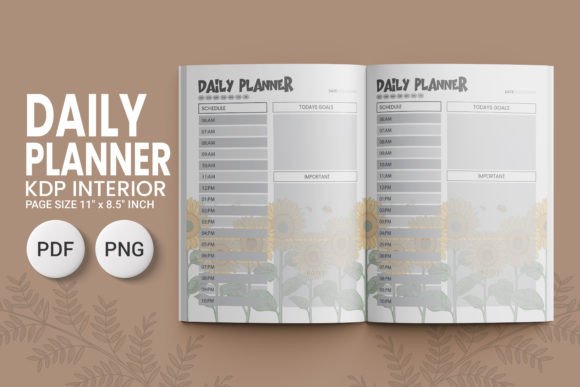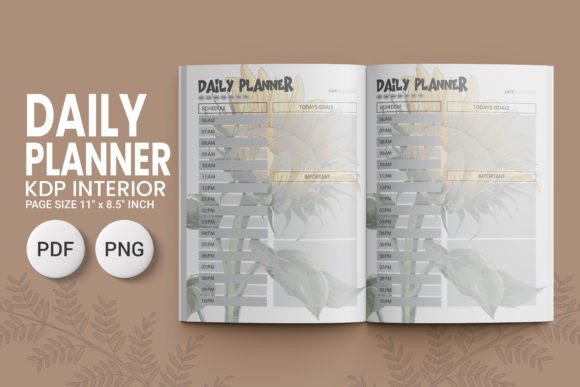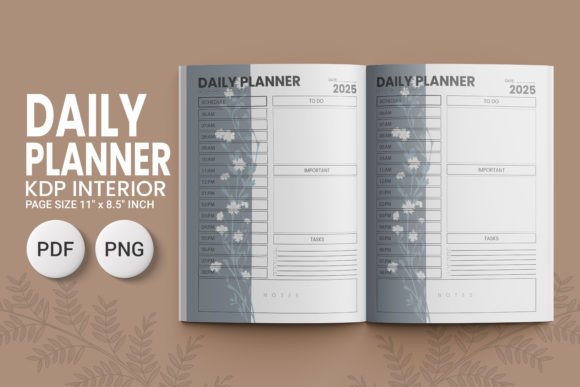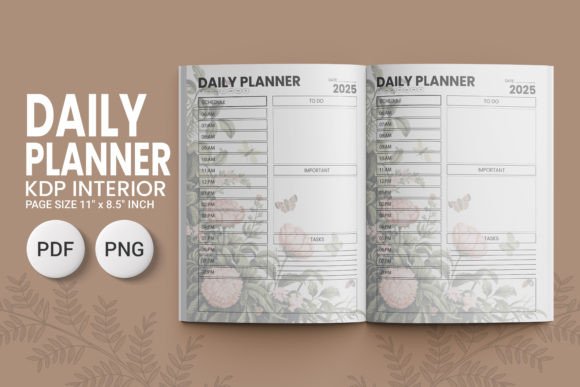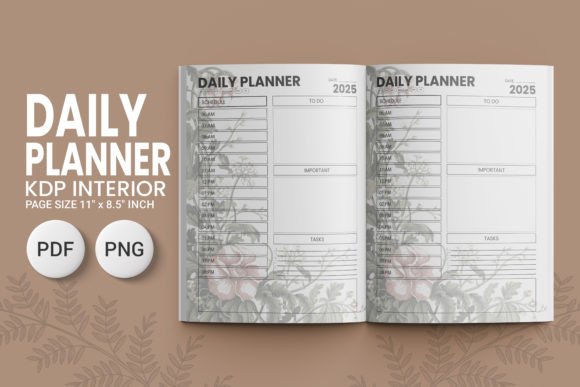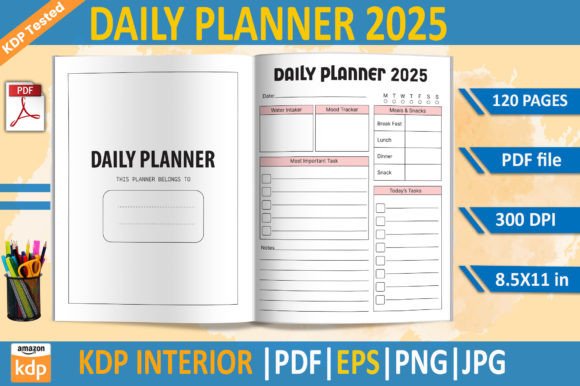
DAILY PLANNER 2025 KDP Interior Template
If you're preparing to publish a daily planner on Amazon KDP—or planning your first print-on-demand journal—the DAILY PLANNER 2025 KDP Interior Template isn’t just another design file. It’s a tested, production-ready foundation built specifically for the realities of KDP’s print workflow. This isn’t a generic layout you’ll need to troubleshoot mid-upload. It’s a 120-page interior designed with precision: 8.5×11 inches, 300 DPI resolution, no bleed, and verified across real KDP print runs. Whether you’re a seasoned planner creator or launching your first low-content book, getting the interior right affects everything—from how cleanly your lines print to whether your margins stay consistent across all 300+ pages.
Why “KDP Tested” Matters More Than You Think
Many creators assume that if a template looks clean in preview mode, it’s ready for upload. But KDP’s print engine has quirks—especially around spacing, font embedding, image scaling, and PDF flattening. A template labeled “KDP ready” might still lack proper crop marks, contain embedded fonts that don’t render correctly, or use RGB color profiles that shift during printing. The DAILY PLANNER 2025 KDP Interior Template avoids those pitfalls because it’s been validated through actual print orders—not just screen checks. That means the page numbers align, the date boxes don’t clip at the edge, and the ruled lines stay crisp and evenly spaced from January 1 through December 31.
Common Oversights When Using Planner Interiors
Even experienced sellers sometimes overlook subtle but critical details—especially when working quickly or juggling multiple templates. Here are three frequent missteps—and how to sidestep them:
- Assuming “editable” means “fully customizable without risk.” The included EPS file is editable in vector software like Illustrator—but only if you understand layer structure and text-to-path conversion. Editing directly in Photoshop or Canva? You’ll likely degrade quality or introduce alignment drift. Better approach: Use the EPS for major structural changes (like adjusting column width), then export fresh high-res PNGs or JPGs for final assembly. Keep the original PDF as your master print file.
- Ignoring transparency in PNG files. The transparent-background PNGs are useful for overlays or digital mockups—but they’re not meant for direct KDP upload. KDP requires flattened, CMYK-compatible PDFs. Dropping a transparent PNG into your interior file can cause unexpected white boxes or color shifts. Always embed images into your final PDF using Adobe Acrobat or InDesign—not drag-and-drop editors that don’t preserve color profiles.
- Skipping the “no bleed” verification. This template uses no bleed intentionally—because KDP’s standard 8.5×11 trim doesn’t require it. Yet some users add bleed manually (thinking it’s safer), which pushes content too close to the edge and risks cropping. If your planner includes subtle borders or corner icons, even 0.0625" of unintended bleed could cut them off. Check your margins: 0.5" minimum on all sides ensures safe printing—and this template already enforces that.
What to Verify Before You Upload
Before you hit “Publish” on your KDP title, spend five minutes confirming these four things—each tied directly to how the DAILY PLANNER 2025 KDP Interior Template was built:
- Open the PDF in Adobe Acrobat (not Preview or Chrome) and go to File > Properties > Description. Confirm it says “PDF/X-1a:2001” or “PDF/X-4.” That signals proper color handling and font embedding. If it shows “PDF/A-1b,” double-check fonts—some may be substituted silently.
- Zoom to 400% and pan across every third page. Look for hairline gaps between ruled lines or inconsistent spacing in date headers. This template maintains uniform line weight (0.5 pt) and vertical rhythm—so any variation you spot likely comes from your edits, not the base file.
- Check your cover match. The interior is sized for standard KDP 8.5×11, but your cover must account for spine thickness based on page count. At 120 pages, your spine will be ~0.24" thick (assuming standard 60# paper). Use KDP’s cover calculator—not guesswork—to avoid misalignment.
- Print one test copy yourself. Not just a screenshot—actual paper. Run it through a home laser printer set to “high quality” and “actual size.” Does the Monday–Sunday header wrap cleanly? Do checkboxes retain sharp corners? If yes, KDP will replicate that fidelity.
Realistic Expectations for Your First Planner Launch
This template won’t automate your marketing, write your description, or guarantee bestseller status. What it does do is remove a major source of delay and rework: interior formatting errors. One creator spent three weeks revising their planner after KDP rejected the first two uploads—due to inconsistent margins and unembedded fonts. With the DAILY PLANNER 2025 KDP Interior Template, that friction disappears. You gain time—not just to refine content, but to test pricing, study category rankings, or draft your launch email sequence.
It also supports flexibility without compromise. Need a minimalist version? Delete the decorative dividers—but keep the underlying grid intact. Want to add weekly reflection prompts? Paste them into the designated space on each spread; the layout reserves room without crowding. And because the JPG, PNG, and EPS files are included, you can build companion assets—social media graphics, printable bonus pages, or even a Notion dashboard sync—without starting from scratch.
A Final Note on Long-Term Usability
Planners aren’t one-off products. Readers return year after year—if the experience feels intentional and reliable. That starts with the interior. A rushed or mismatched template leads to complaints about “faint lines,” “cropped dates,” or “pages that don’t lie flat.” Those reviews hurt visibility across categories. By choosing a file like the DAILY PLANNER 2025 KDP Interior Template—one built on real-world testing, not theoretical specs—you invest in consistency, reader trust, and repeat purchases. It’s not about perfection. It’s about respect—for your time, your audience’s attention, and the quiet professionalism that turns a simple daily planner into a tool people reach for, day after day.