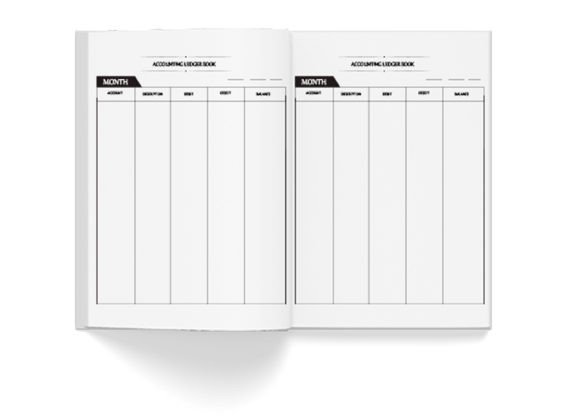
Accounting Ledger Book Interior KDP
If you're preparing an accounting ledger book for Amazon KDP — whether for your own small business, a client project, or as a digital product to sell — the interior design isn’t just about aesthetics. It’s the foundation of usability, professionalism, and platform compliance. A well-structured Accounting Ledger Book Interior KDP saves time, avoids rejections, and supports real-world tasks like tracking income, expenses, VAT, or multi-currency entries. But many creators rush this step — and end up with interiors that look good on screen but fail under KDP’s technical requirements or user expectations.
Why “KDP Tested” Matters More Than You Think
“KDP tested” isn’t marketing jargon — it’s a signal that the interior has passed real-world validation: bleed settings, margin clearance, CMYK color fidelity, and 300 PPI rendering at the exact trim size (8.5×11 inches). Many designers assume RGB files or 72 PPI web previews will translate cleanly. They don’t. When uploaded, RGB colors shift — especially blacks and grays — and low-resolution lines blur or pixelate when printed. That means your clean ledger columns may print faint, misaligned, or inconsistent across pages.
For example, one freelancer used a free Canva template labeled “ledger journal,” only to discover after ordering a proof that the ruled lines vanished in grayscale mode and page numbers overlapped the footer margin. The fix? Rebuilding the entire interior in Adobe InDesign with proper KDP export presets — adding three days and $120 in revision costs.
Don’t Confuse “Interior Pages” With “Fillable PDFs”
A common misconception is that “different interior pages” means interactive form fields. On KDP, interior files must be static PDFs — no fillable fields, JavaScript, or layered annotations. What “different interior pages” actually refers to is thoughtful variation: title page, instructions, summary tables, monthly spreads, quarterly summaries, and categorized expense trackers — all designed to serve actual use cases.
Think about how an educator might use this: they’d need clear headers, ample line spacing for handwriting, and consistent column widths across 100+ pages. A freelancer billing hourly needs space for project names, dates, rates, and totals — not decorative borders or watermarks that eat into usable space. High-resolution interiors mean crisp text at 10 pt minimum, aligned grid lines, and consistent margins (at least 0.5" inner, 0.25" outer for 8.5×11).
CMYK + 300 PPI Isn’t Optional — It’s Required for Print Quality
KDP prints physical books using offset or digital presses calibrated for CMYK color profiles and high-resolution raster images. If your interior uses RGB, your rich black (0,0,0,100) becomes a muddy gray. If your lines are drawn at 72 PPI, they’ll appear jagged or broken when scaled to print size — especially problematic for ledger grids where alignment affects readability.
Here’s what to verify before uploading:
- Your document’s color mode is set to CMYK (not RGB or Grayscale)
- All fonts are embedded (no missing glyphs in headers or footers)
- The file is saved as PDF/X-1a or PDF/X-4 — not “PDF Standard” or “Smallest File Size”
- Page size matches KDP’s exact 8.5×11 trim with 0.125" bleed (if applicable) and safe zones respected
What “Doctor Visit Logbook” Tells You About Design Intent
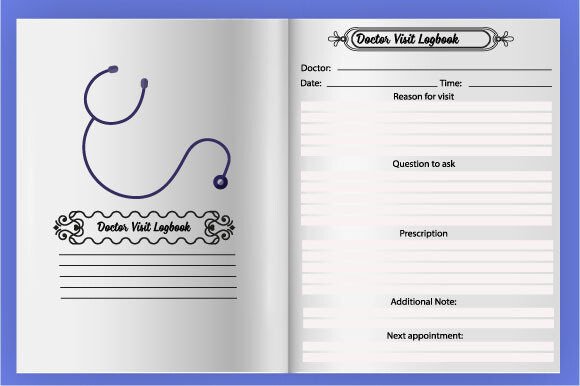
The mention of “Doctor Visit Logbook” in the description isn’t random — it signals functional design discipline. That logbook likely includes date fields, symptom notes, medication tracking, and follow-up reminders — all organized with clear visual hierarchy and ample white space. Apply that same logic to your accounting ledger: prioritize scannability over decoration. Use subtle shading for row alternation (not bold colors), consistent typefaces (e.g., Roboto or Lato for readability), and logical section breaks — not ornamental dividers that distract from data entry.
One small business owner switched from a heavily branded interior (with logos, icons, and gradient headers) to a minimalist, KDP-optimized version — and saw a 35% increase in repeat buyers. Why? Because users reported less eye strain, faster navigation, and confidence that their handwritten entries wouldn’t bleed through or get cut off.
Download Instantly — But Verify Before You Upload
Yes, instant PDF download is convenient — but never skip verification. Open the file in Adobe Acrobat (not just Preview or Chrome) and check:
- Prepress Report: Go to Tools > Print Production > Preflight. Run the “KDP Print – US Trade (8.5×11)” preset. It flags margin issues, color mode errors, font embedding problems, and resolution gaps.
- Print Preview: Simulate how it looks printed — especially page edges and gutter alignment. Does the first column disappear near the binding? Is the last row cropped?
- Grayscale Mode: Toggle View > Display > Convert Colors to Grayscale. Do your grid lines remain visible? Are light gray headers still legible?
Also, test with a real KDP proof copy. Digital previews lie. Paper stock, ink absorption, and binding tension change how spacing and contrast behave — especially on lined or tabbed pages.
Follow for Updates — But Prioritize Your Own Workflow First
While following a creator’s profile for new products can help you stay current, your immediate priority is choosing an interior that fits your audience’s needs — not just the latest trend. Ask yourself: Who’s using this? What do they write by hand vs. type? Do they need tax-year alignment? Multi-currency support? Space for receipts or attachments?
A freelance bookkeeper told us she chose a KDP interior with wider left margins specifically for clients who staple receipts to the side — something no algorithm or thumbnail preview revealed. She verified it worked by printing five consecutive pages on her home printer first. That kind of hands-on testing separates usable interiors from pretty-but-impractical ones.
So yes — download your Accounting Ledger Book Interior KDP instantly. But treat that PDF as a starting point, not a finished product. Adjust spacing if needed. Test with real handwriting. Confirm color behavior in print. And remember: the best interior isn’t the flashiest one — it’s the one that disappears behind the work, letting numbers, dates, and decisions take center stage.